Your Listings
Deserve More
Than Just a
5-Image Slideshow

Five photos rarely tell the whole story.

So why settle for a simple carousel?

Learn how to impress sellers with up to 50 images in a cinematic tour.

Build your tour your way.

Renders locally on your PC
No cloud  ·  No queue  ·  No wait
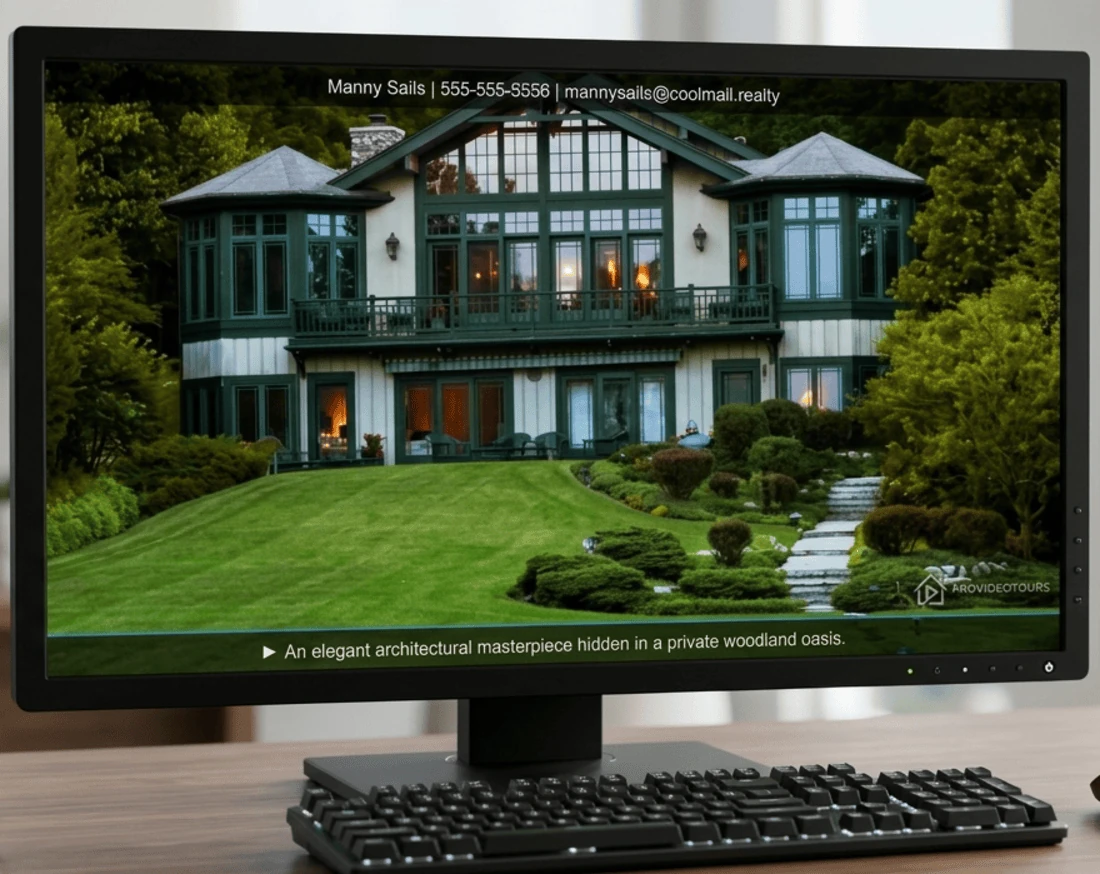
ProVideoTours — Tour Preview
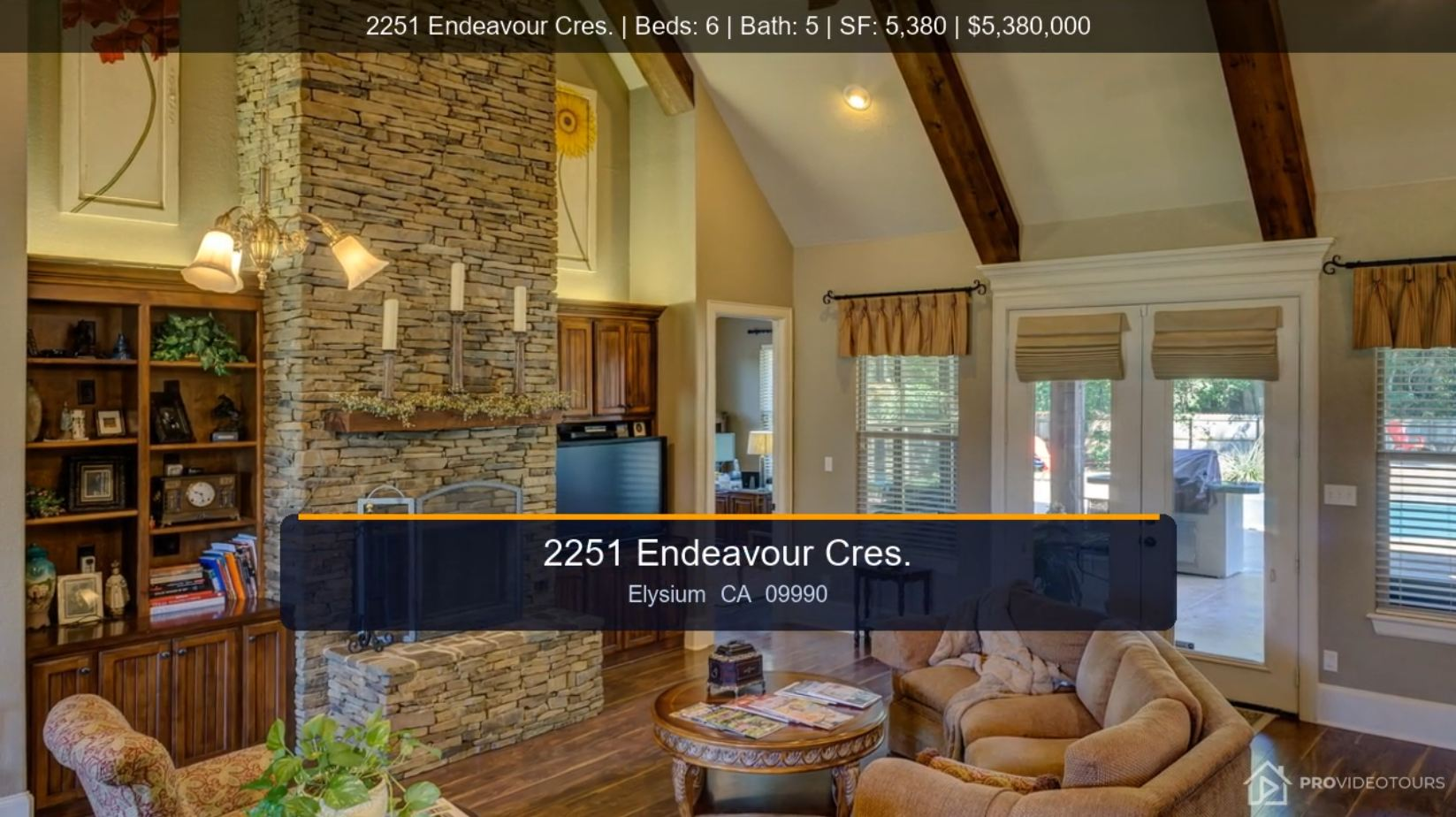
ProVideoTours video tour showing branded agent contact banner.
Optional Upper & Lower Banners
Property details  ·  agent contact  ·  captions

Learn how to keep Your Name
in Front of Every Viewer

Customize property details, contact information, banners, opening cards, and closing cards so every video tour reinforces your brand and makes it easy for Buyers AND Sellers to reach you.

Cinematic Motion
7 Transition Styles. Infinite Variety.

Choose from professional cinematic transitions and motion styles that make listing photos look like they were shot on set — in every format.

  • Ken Burns, Drift, Breathe, Reveal, Flash Cut, Power Zoom, Split Screen
  • Per-image zoom override — Fit, Landscape, or Portrait
  • Target duration with min/max hold settings
  • 24, 30, or 60fps — 720p output
  • Portrait and square photos animate smoothly in landscape tours
Background Media Hub
Beautiful by Default

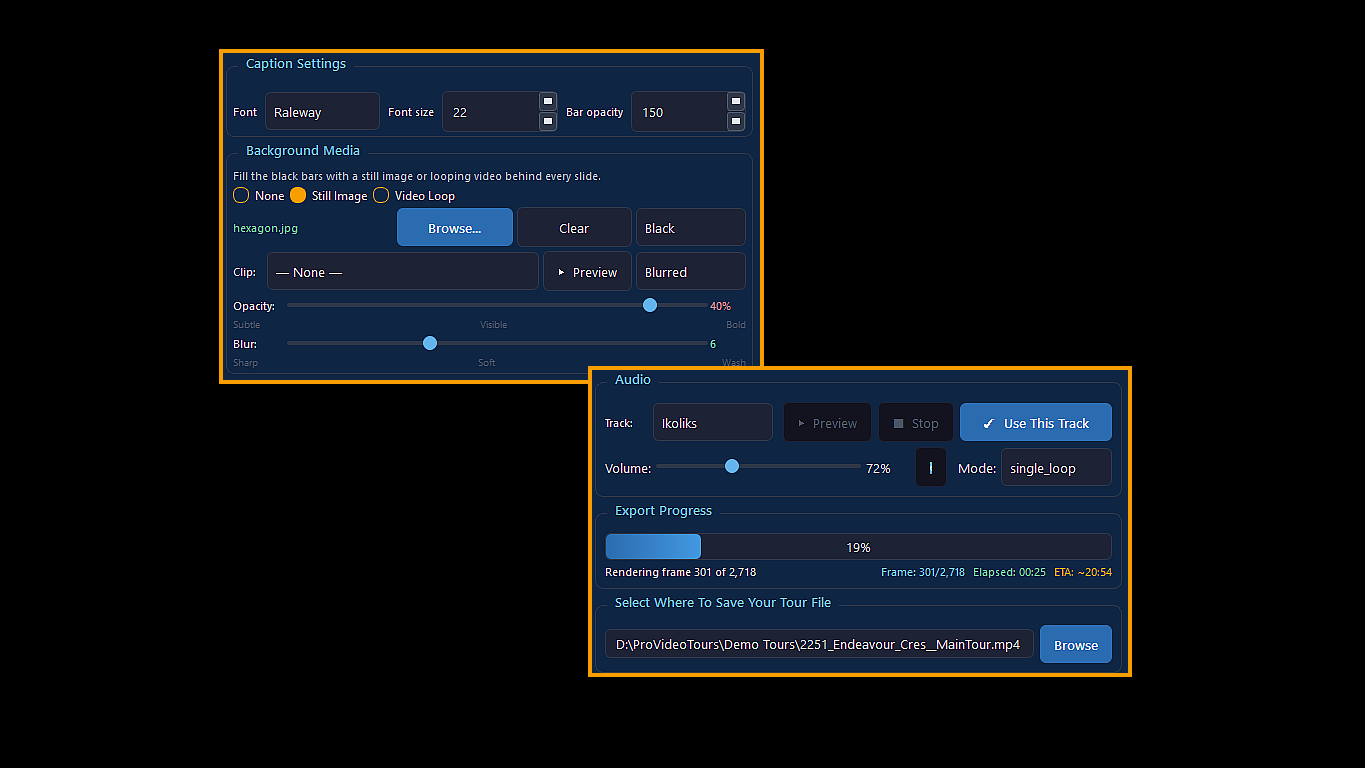
PVT ships with a hexagon background pre-loaded at the perfect settings. Open the app, export — it already looks great. Swap it for your own image anytime.

  • Still Image, Video Loop, or None — agent's choice
  • Video clip combo defaults to "— None —" — no accidental selection
  • Browse to replace with any background image in one click
  • Background fills landscape sidebars behind portrait and square photos
Smart Export Lock
One-Click Optimized Formats

Select any orientation and PVT automatically applies proven settings for Reels and Shorts — no guesswork required.

  • Auto-applies 3.5 sec minimum hold, customized motion speeds
  • Smart fill adapts landscape images for any export format — no black bars
  • Orientation detected automatically from your uploaded photos
  • Export format checkboxes always available — Landscape, Portrait, Square
Tour Settings — Banner & Export Options
ProVideoTours desktop real estate video software interface displaying customizable tour settings, cinematic motion styles, and automated landscape and portrait export options for Windows
Independent Banner Control
One Banner System. Every Format. Your Data.

The top banner works exactly like the bottom caption — same font, size, and opacity. Display property details, contact info or alternate both and PVT handles the rest across every format automatically.

  • Caption-bar style overlay — large, legible text readable on mobile screens
  • Three modes: Property Details · Contact · Alternating (switches every 3 seconds)
  • Property fields: Address, Beds, Baths, Square Feet, Parking, Waterfront
  • Contact fields selectable: Name, Phone, Company, Email, License #
  • Alternating works on Landscape, Portrait, and Square — all three formats
Export Options
  • Export formats: Landscape 16:9 · Portrait 9:16 · Square 1:1
  • Choose Landscape, Square or Portrait orientation
  • Unbranded version
The Complete Workspace

ProVideoTours Was Created by Real Estate Professionals

The ultimate local production workspace to turn raw property media into cinematic tours.

Photo & Video Manager
Drag, reorder, mix media
Branding: Your Way
Alternating banners, intro-outro cards
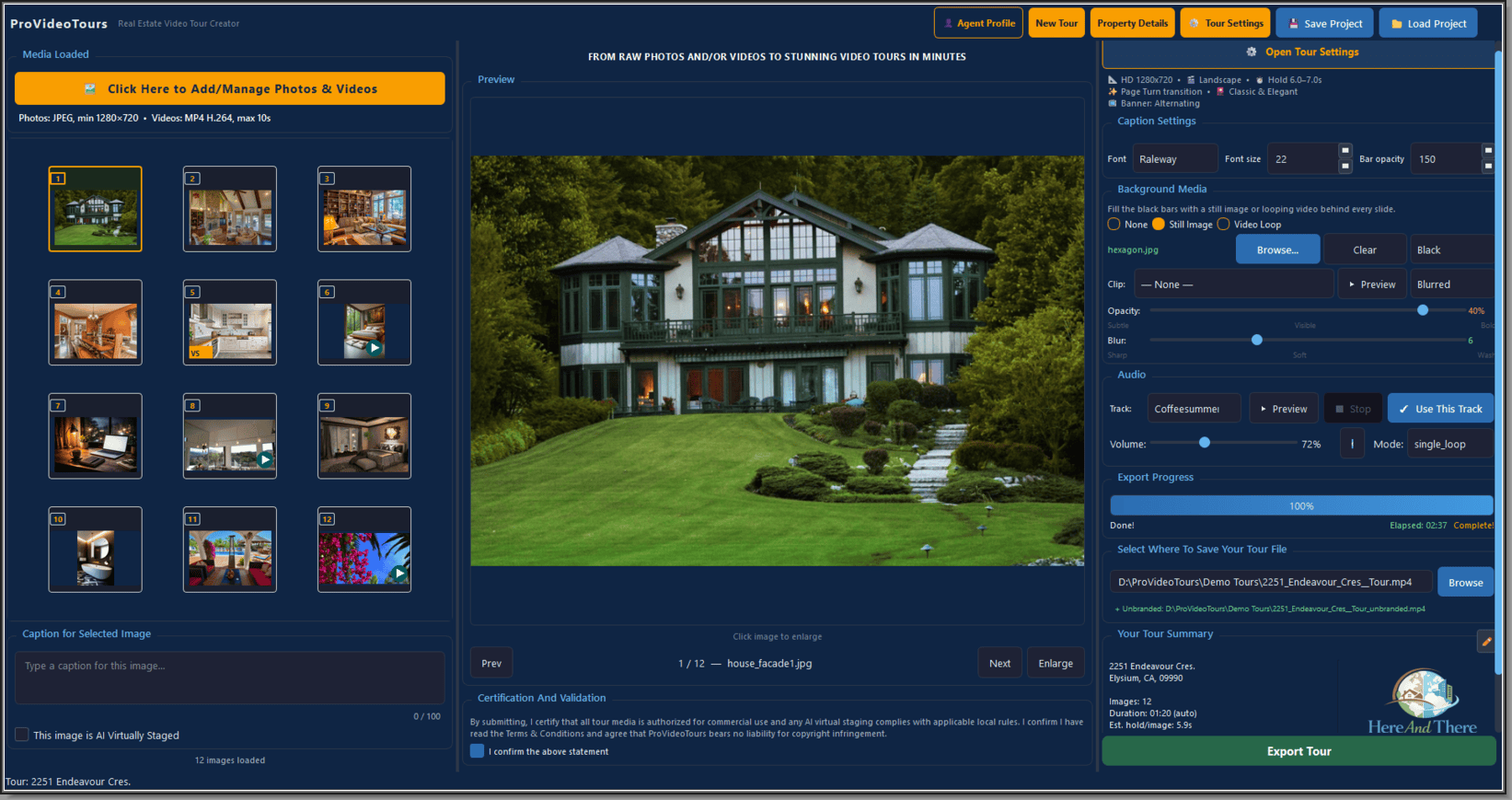
ProVideoTours photo and video manager software interface for Windows PC showing the drag-and-drop media grid, audio track selector, background video loop settings, and real estate virtual staging compliance options

Click to enlarge

Image Caption & Virtual Staging Input
Edit captions, enlarge, delete
Background Media
Audio & export progress

One Listing. Multiple Ways to Market It.

Every property is different — and so is every marketing strategy. Create professional tours with agent branding, property details, portrait layouts, compliance badges, and polished closing cards from the same set of photos and videos.

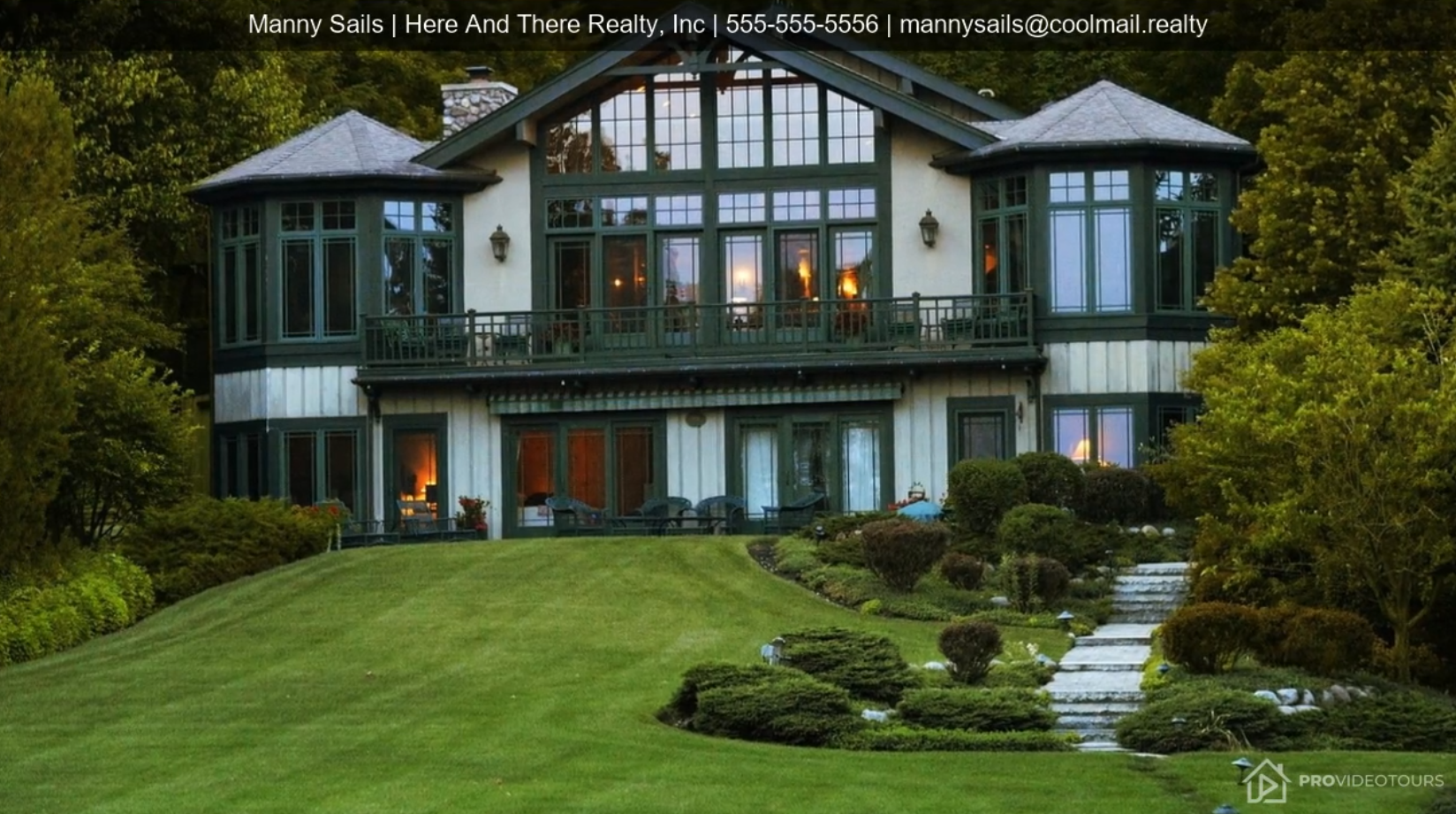
Persistent agent contact banner on a property video tour
Keep Your Brand Front and Center

Display your name, brokerage, phone number, and email throughout the tour so every viewing becomes an opportunity to build your brand.

Property details banner showing price, beds, baths, and square footage
Showcase the Property Beautifully

Highlight property details, pricing, bedrooms, bathrooms, and square footage while maintaining a clean, professional presentation.

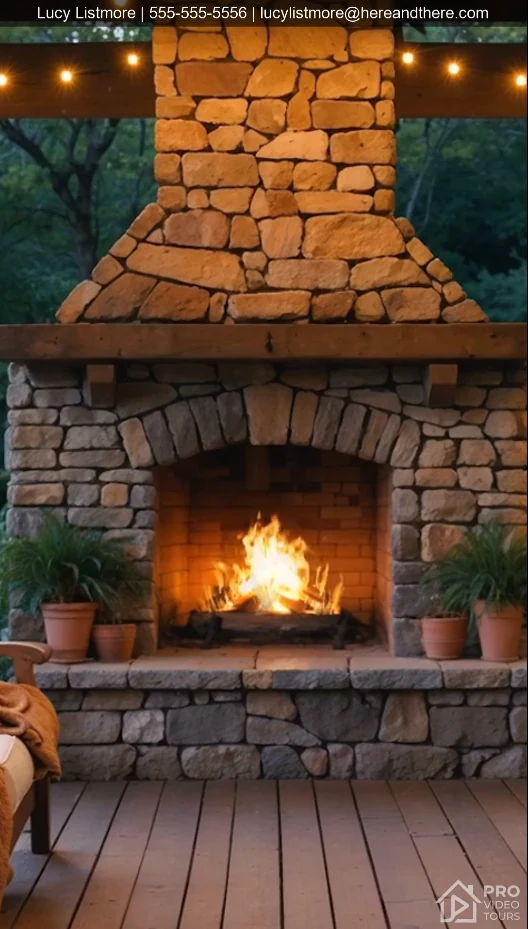
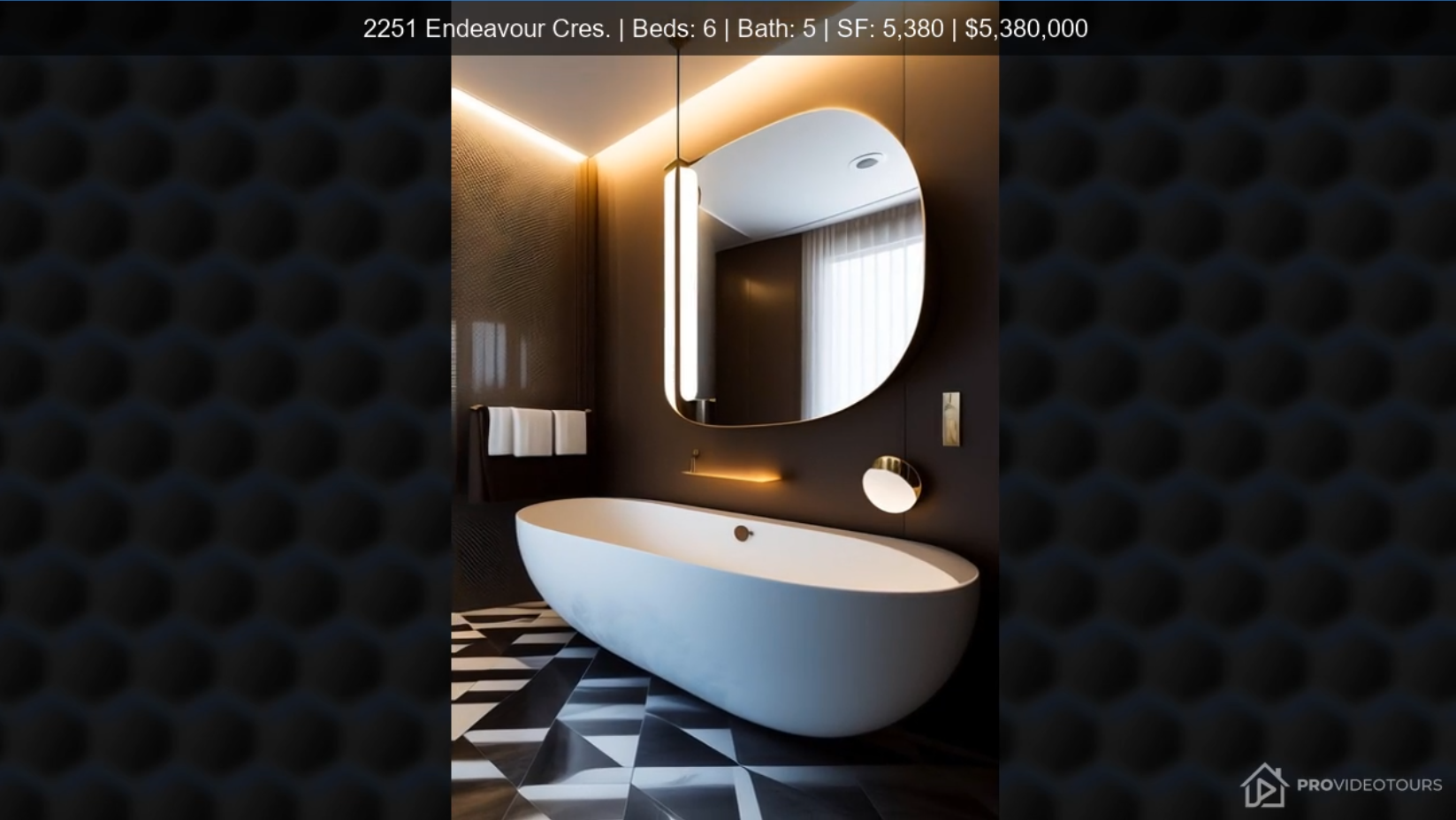
Portrait video with hexagon background pattern, ready for Reels, Shorts, and TikTok
Ready for Reels, Shorts & TikTok

Portrait photos automatically become engaging vertical videos with professionally designed backgrounds instead of distracting black bars.

Closing card with agent photo, name, brokerage, and contact information
End With a Professional Call to Action

Finish every tour with a polished contact screen that makes it easy for buyers and sellers to remember who to call.

From Raw Media to
Finished Tours in Minutes

How to create beautiful real estate video tours in four simple steps.

01
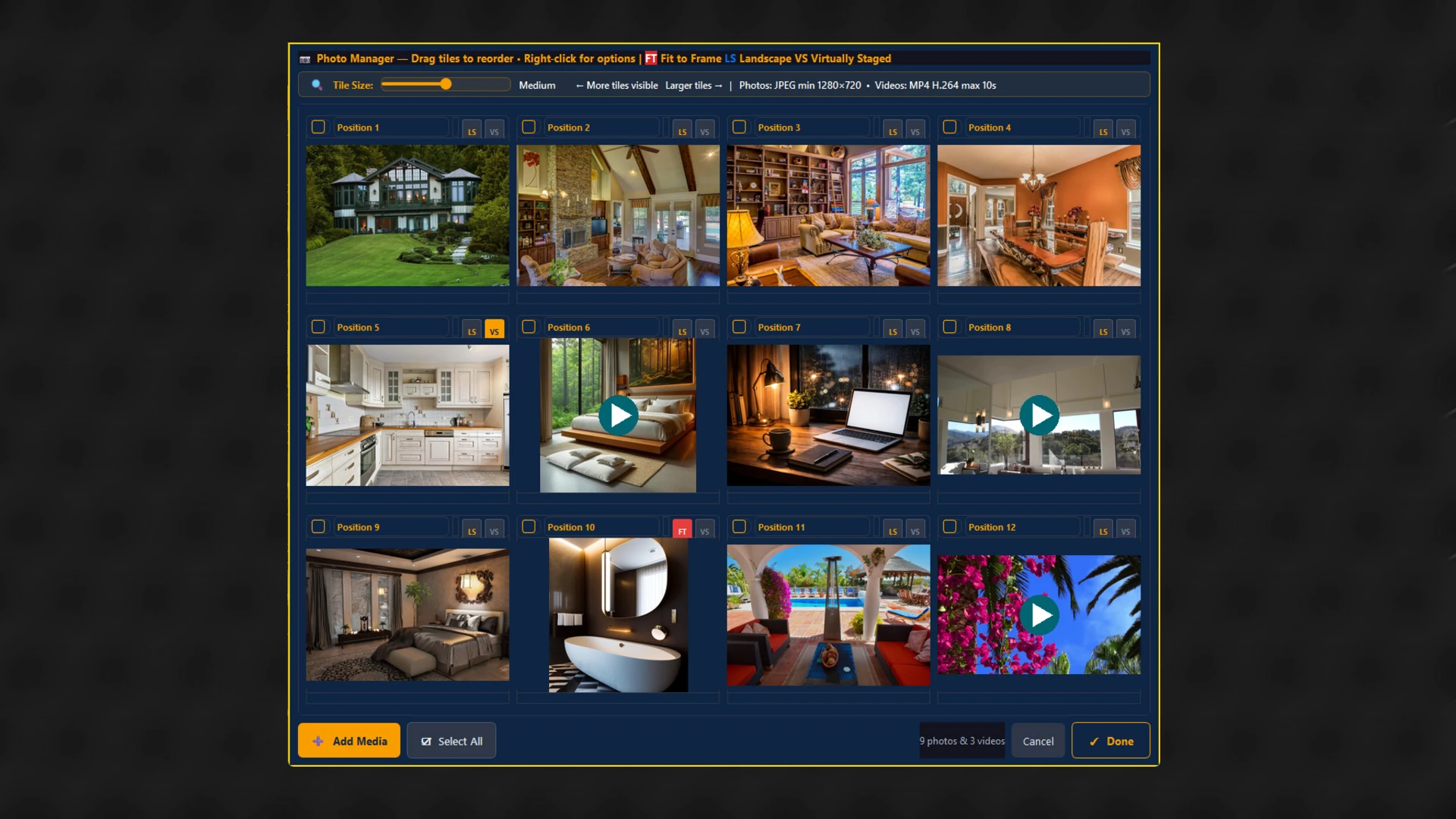
Photo Manager grid showing drag-to-reorder tiles with landscape, virtually staged, and fit-to-frame badges
Build Your Story

Select your listing photos and videos in one step. Landscape and portrait images are automatically recognized, and virtually staged photos can be identified with a single click.

02
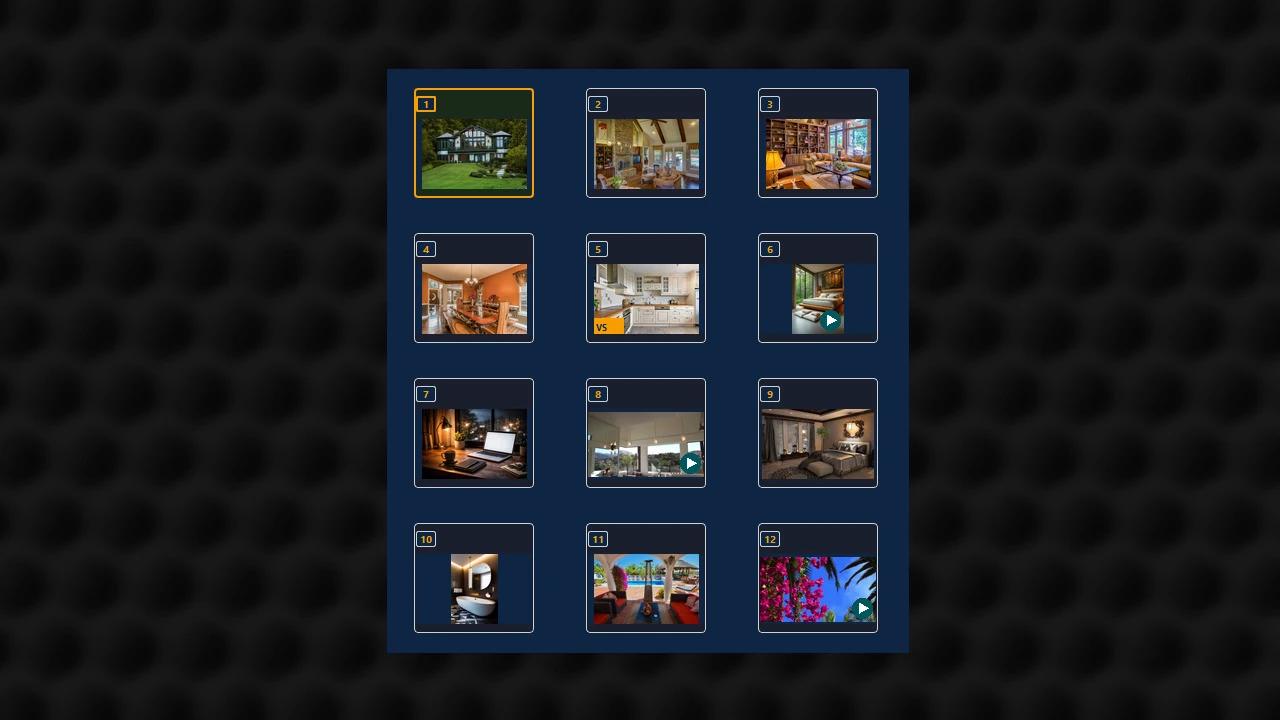
Media Loaded panel showing a 12-image grid with a caption field for the selected image
Organize Your Media

Review your uploaded media, arrange the viewing order, add captions, remove unwanted photos, and clearly identify virtually staged images...all in one place.

03
Tour Settings panel showing caption settings, background media, audio track, and export progress
Personalize Every Tour

Choose transitions, music, property or contact banners, background images or videos, branding, opening and closing cards, then export in the format you need.

04
Tour Export Complete dialog confirming a finished video tour ready to share
Export Anywhere

Produce HD tours for YouTube, MLS, websites, Facebook, Instagram, Reels, TikTok and more.

Everything You Need.

No Extra Subscriptions Required.

From virtual staging tags to automated social media exporting, everything required to create high-impact video walkthroughs is built directly into this single desktop application.

Photo Manager

Upload, organize and reorder
photos and videos in seconds.

Smart Branding

Agent information, brokerage,
logos and contact details.

Opening Cards

Introduce every property
with a polished first impression.

Closing Cards

End every tour with
a memorable call to action.

Portrait Video

Create Reels and Shorts
without editing twice.

Music Included

Choose from curated
background tracks.

Export Anywhere

YouTube, MLS,
social media and websites.

Built-in Compliance

Virtually staged labels,
branding and disclosures.

Private By Design

No cloud rendering. No uploads.
No Internet? No problem.


Why Choose ProVideoTours?

  • Everything in one application
  • Create unlimited video tours
  • Your media stays on your PC
  • No cloud rendering required
  • Built specifically for real estate
  • Designed for agents, not video editors

WE OFFER SIMPLE, TRANSPARENT PRICING.

Why quarterly?

  • Nationally, agents typically obtain a new listing every 5–8 weeks
  • Quarterly billing matches that pace, so you're never paying for a month with nothing new to showcase
Rising Star
$0
Full 30-day trial — includes full features
Unlimited Video Tours
  • 12 images and/or videos
  • Subtle watermark on exports
  • Install on 1 device
THE FULL
EXPERIENCE.
EVERY FEATURE.
EVERY FORMAT.
RISK-FREE.
Start My Free Trial
Night Owl
$87/Qtr.
$60/Qtr.
Billed quarterly
Unlimited Video Tours
  • 12 Images and/or Videos per tour
  • No watermark on any export
  • Landscape, Portrait & Square formats
  • Unbranded export available — same click, same render
  • 6 motion styles — Ken Burns, Drift, Breathe, Reveal, Flash Cut, Power Zoom
  • Auto-backup every 3 minutes
  • Export progress tracked live
  • Install on up to 2 devices
Choose Night Owl
Best Value
Key Master
$147/Qtr.
$105/Qtr.
Billed quarterly
Unlimited Video Tours
Image-sized for most listings.
  • 25 Images and/or Videos per tour
  • No watermark on any export
  • Landscape, Portrait & Square formats
  • Auto-backup every 3 minutes
  • Still or video backgrounds
  • Virtually Staged badge ID per image
  • Branded opening title card with custom tagline — Just Listed, Reduced, etc.
  • Install on up to 3 devices
Choose Key Master
Deal Saver
$267/Qtr.
$225/Qtr.
Billed quarterly
Unlimited Video Tours
  • 50 Images and/or Videos per tour
  • No watermark on any export
  • Export Landscape, Portrait & Square simultaneously
  • Auto-backup every 3 minutes
  • Independent upper & lower banners
  • Cinematic address overlay — first image, second image, or off
  • Optional two-agent closing card
  • Know exactly where to post — built-in guide for major platforms
  • Install on up to 4 devices
Choose Deal Saver

Frequently Asked Questions

No matching questions found. Try a different search term or select another category.

Getting Started

4 questions

ProVideoTours is a Windows desktop application built specifically for real estate agents. You install it once and it lives on your computer — no browser tab, no cloud login, no monthly subscriptions to access your videos.

The key difference is that everything renders on your own PC. Your photos, your client's property details, and your contact information never leave your machine unless you choose to share the finished video. There's no upload queue, no waiting for a server somewhere to process your tour, and no internet connection required to export. You load your photos and videos, set your preferences, click Export, and the finished HD video is saved directly to your hard drive — typically in three minutes for the average tour.
None at all. ProVideoTours was designed by an agent with the need for simplicity in mind. The entire workflow fits into four steps:
  • Upload your listing photos and any video clips
  • Organize the order and add captions if you like
  • Personalize your branding, transitions, and music
  • Export in the format you need
Every setting comes with a sensible default. You can open the app for the first time, add your photos, and have a polished HD video tour without touching a single advanced option.
ProVideoTours is a Windows desktop application. It is currently available on Windows 10 and Windows 11. A macOS version is anticipated in the very near future. If a Mac version becomes available and you are a subscribed user, you will be notified.
No. Once ProVideoTours is installed and activated, you can create and save fully rendered HD video tours completely offline. Everything happens on your computer using the media you've already loaded. You'll only need an internet connection to share or post your finished tour to the MLS or a video platform. Everything in between — loading photos, editing settings, autosaving — works without Wi-Fi or a network connection.

Your Media

5 questions

ProVideoTours accepts the standard file types you already work with every day:
  • Photos: JPG, JPEG, PNG, WEBP, HEIC, BMP, TIFF
  • Video clips: MP4, MOV, AVI, MKV, WMV
Portrait and landscape photos are both supported and handled automatically. Portrait photos shot in vertical orientation are recognized, EXIF-corrected, and smoothly animated within the landscape canvas — no manual rotation required. Video clips are trimmed and looped to your specified clip duration and blend seamlessly with the surrounding photos using the same transition styles you've selected for the whole tour.
Yes. ProVideoTours displays a reminder when you click the Add Media button so you always know the limits before you browse:
  • Photos: up to 25 MB per image
  • Video clips: up to 500 MB per clip
If you have a large video clip that exceeds 500 MB, free compression tools like HandBrake can reduce file size without visible quality loss before you import into PVT.
The number of images and video clips per tour depends on your plan:
  • Rising Star (Free): up to 12 photos and/or videos
  • Night Owl: up to 12 photos and/or videos
  • Key Master: up to 25 photos and/or videos
  • Deal Saver: up to 50 photos and/or videos
In practice, 12 well-chosen images with a duration of 1 to 3 minutes, produce an engaging walkthrough that holds viewer attention from start to finish. Property video tours typically contain 20 to 50 individual frames or images.
Yes — and this is one of the things that sets ProVideoTours apart. You can load a combination of still photos and short video clips into the same tour, arrange them in any order, and export a single seamless video where photos and clips transition into each other using the same cinematic effects. A walkthrough clip of the kitchen flowing into a still photo of the backyard, transitioning into a drone clip — all in one export, all professionally styled.
If any of your listing photos have been digitally staged — furniture, décor, or other elements added by a virtual staging service — real estate advertising standards in most markets require that you disclose this to viewers. In ProVideoTours, you can mark any individual photo as Virtually Staged in the Photo Manager with a single click. PVT will then display a clearly visible disclosure badge on that photo throughout the video tour. This keeps you in compliance without requiring you to add text manually to each image. The badge is applied automatically during rendering — you just flag the photos and let the app handle the rest.

Branding & Agent Profile

5 questions

Your branding appears in three places throughout every tour:
  • Top banner — a caption-bar style overlay that runs across every slide, displaying your name, phone, email, brokerage, and license number in any combination you choose. You control exactly which fields appear.
  • Opening Card — an optional branded title screen at the start of the tour with your company logo and name, property address, main features, price and an optional custom callout (Just Listed, Price Reduced, etc.).
  • Closing Card — an optional polished contact screen at the end of the tour allows you to display your photo, name, brokerage, phone, email, and license number, giving buyers and sellers an easy way to reach you.
Your branding information is entered once in the Agent Profile and flows automatically into all three locations every time you export.
Yes. You can upload your brokerage logo in the Agent Profile section and it will appear on your Closing Card as part of your branded contact screen. The logo is sized and positioned automatically so it fits cleanly alongside your photo and contact details without any manual layout work on your part.
Yes. ProVideoTours includes a Co-Agent tab in the Agent Profile where you can enter a second agent's name, photo, phone, email, and license number. When you enable the Append This Profile to All Closing Cards option, both agents appear on every tour's closing screen. Co-agent display is opt-in — it only activates when you explicitly turn it on.
The Opening Card is an optional branded title screen that plays at the very beginning of every tour before your listing photos appear. It gives every tour a polished, intentional first impression. You can include:
  • Property address - bedrooms/baths/sq.ft./garage/waterfront type
  • A listing status badge — ex: Just Listed, Price Reduced, New Listing, or a custom label
  • Your custom tagline below the price
The Opening Card can be enabled or disabled per tour with a single toggle in Tour Settings, so you have full control over when it appears.
Yes — but first, you'll need to deselect the Enable Closing Card option in Tour Settings. If your custom closing card is a PDF or another document, convert it into a JPEG or PNG image sized to match your export format, then add it as the last image in your tour:
  • Landscape — 1280 × 720
  • Portrait — 1080 × 1920
  • Square — 1080 × 1080

Banners & Tour Settings

4 questions

When activated, the top banner is a caption-bar style overlay that runs across the top of every slide throughout your tour. It uses the same font, size, and opacity as the caption bar — large enough to be legible on a phone screen without being distracting. You choose what it displays from one of three options:
  • Property Details — shows address, beds, baths, square footage, parking, and waterfront status. You choose which fields appear.
  • Contact — shows your name, phone, email, brokerage, and license number. Again, you choose which fields appear.
  • Alternating — automatically switches between Property Details and Contact information every three seconds throughout the tour, so viewers see the property specs and your contact information without you having to choose between them.
The banner can be toggled on or off with a single checkbox. When it's off, your tours have a clean, content-only look. When it's on, every frame carries your information to every viewer on every platform. Independent banner controls exist for Portrait-only formats.
Yes. All three banner modes — Property Details, Contact, and Alternating — work across all three export formats: Landscape 16:9, Portrait 9:16, and Square 1:1. A character limit is imposed on Portrait formats to suit the width. When you export multiple formats in a single pass, the banner is rendered correctly for each orientation automatically. You set your banner preferences once and they apply everywhere.
Yes. In the Photo Manager, each photo has its own caption field where you can type a description up to 75 characters — Primary Suite, Chef's Kitchen, Private Pool — that appears as a lower caption bar on that specific slide. Captions are per-image, so you can be as descriptive or as minimal as you like on a photo-by-photo basis. Remember, less is more. Photos without a caption simply display without a lower bar, giving the image full visual space.
ProVideoTours includes six motion styles that add cinematic life to your still photos. The app determines which style is the best for the media that you upload.
  • Ken Burns — the classic slow zoom with subtle pan, familiar from documentary filmmaking
  • Drift — a gentle horizontal drift across the frame
  • Breathe — a slow, subtle zoom in and out that feels organic and alive
  • Reveal — a smooth reveal from one edge of the frame
  • Flash Cut — clean, quick cuts for a faster-paced look
  • Power Zoom — an assertive zoom for high-energy listings
Between photos, you can choose from seven transition styles including dissolve, wipe, split screen, and page turn. Portrait and square photos animate smoothly even in a landscape tour — PVT handles the geometry automatically so you never see distortion or black bars.

Export & Formats

4 questions

ProVideoTours exports HD video in three aspect ratios:
  • Landscape 16:9 — the standard widescreen format for YouTube, websites, and Facebook video.
  • Portrait 9:16 — the vertical format for Instagram Reels, TikTok, and YouTube Shorts. PVT automatically applies the right hold timing, motion style, and smart fill settings when you select Portrait orientation.
  • Square 1:1 — the format for Instagram feed posts and platforms that display square video.
All formats export as standard MP4 files that play on any device or platform without conversion.
Yes — on All Plans you can export Landscape, Portrait, and Square simultaneously from a single export pass. PVT renders all three formats back-to-back automatically, so you end up with three finished video files optimized for different platforms without running the export three separate times. Note: Multiple format exports use more RAM and could affect the performance of your machine.. If you are unsure of your machines RAM capacity, it is best to export formats separately.
An Unbranded export is a version of your tour with your agent name, contact details, and brokerage information removed.

In ProVideoTours, the unbranded export is available with a single checkbox — the same render, the same photos, the same music, but without any contact branding in the banners or closing card. Both the branded and unbranded versions can be exported in the same pass.
Your finished tour is a standard MP4 video file that works everywhere video is accepted. Common destinations include:
  • MLS listing — post a link from YouTube or other video platform
  • YouTube — create a listing-specific video and embed the link in your marketing
  • Facebook — post as a native video or use in a paid listing ad
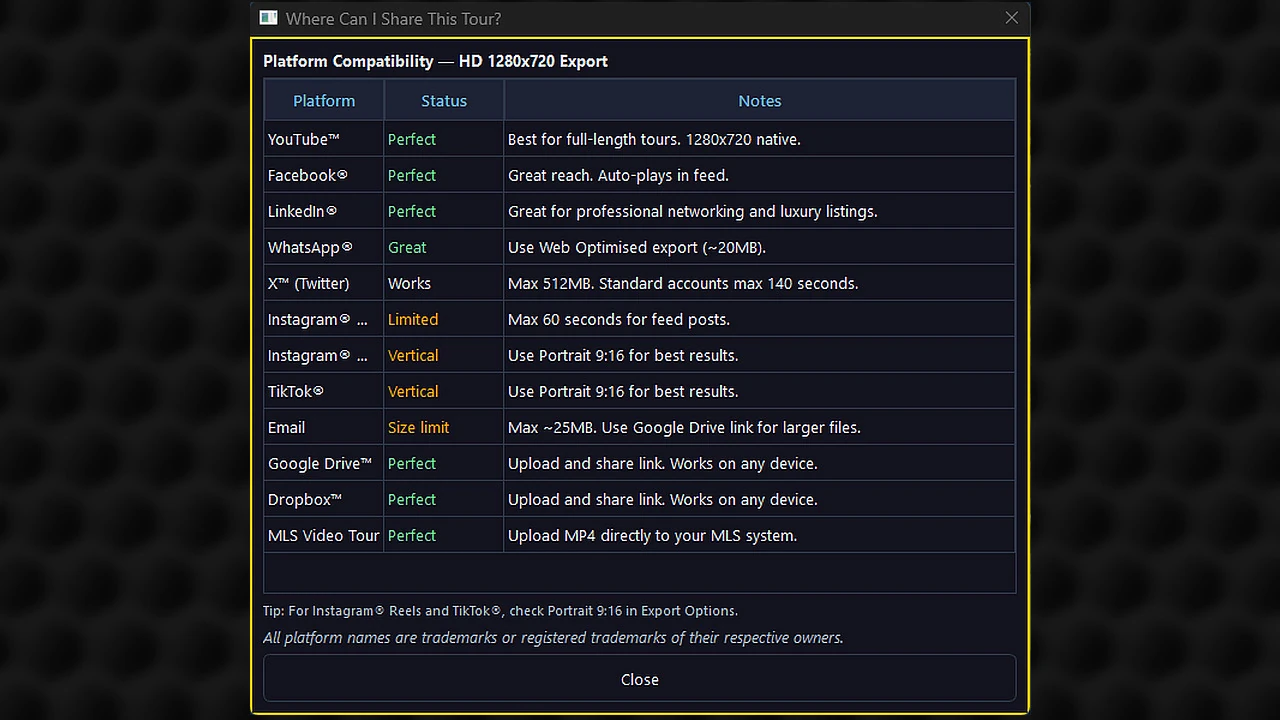
  • Instagram Reels and TikTok — use the Portrait 9:16 export
  • Instagram Feed — use the Square 1:1 export
  • Your website or listing page — upload directly or embed from YouTube
  • Google Drive or Dropbox — share a link directly with your client, buyer's agent, or brokerage
  • Email or text — share the Drive/Dropbox link for immediate viewing on any device
A Where To Post Your Tour guide is available on your Tour Summary.

Saving & Privacy

3 questions

Yes. ProVideoTours autosaves your project automatically every three minutes while you're working. If the app closes unexpectedly — a power interruption, a crash, or an accidental close — you'll be offered the option to restore your most recent autosave the next time you open the app. You'll never lose more than a few minutes of work. You can also save manually at any time using the standard Save Project function.
Everything stays on your own computer. Project files (which store your settings, photo order, captions and branding choices for a given tour) are saved to a destination folder of your choice on your local drive at the time of export and the format type is identifiable in your filename (lan, por, squ). You are in complete control of where your files live and how they're organized.
Never. ProVideoTours renders everything locally on your computer. Your listing photos, your client's property details, your agent contact information, and your finished video tours never leave your machine unless you deliberately share them. There is no cloud rendering engine, no remote server processing your media, and no background sync of your project files. For agents who handle sensitive listing information before it goes public, this is a meaningful distinction — your pre-market photos stay on your hard drive, period.

Plans

3 questions

Yes. The Rising Star plan is free for a full 30 days and includes access to every feature in ProVideoTours — all motion styles, all transitions, the full branding system, Opening and Closing Cards, Background Media, captions, and export in all formats. The only difference from a paid plan is that exported videos include a subtle PVT watermark. There's no credit card required to start, and you can create unlimited tours with up to 12 photos and/or videos during your trial. It's the full experience — no features locked behind a wall — so you know exactly what you're getting before you subscribe.
All three paid plans include unlimited tours, no watermark, and auto-backup. The main differences come down to image count:
  • Night Owl ($60/qtr) — up to 12 images and/or videos, Landscape 16:9 export, unbranded export available. Ideally suited for most listings and can be posted to YouTube or other platforms and a link added to most MLS platforms.
  • Key Master ($105/qtr) — up to 25 images and/or videos, Landscape, Portrait, and Square exports, still and video backgrounds, Virtually Staged badge per image, and branded Opening Cards with custom taglines. Best value for agents who market actively on social media.
  • Deal Saver ($225/qtr) — up to 50 images and/or videos, simultaneous export in all three formats, independent upper and lower banners, cinematic address overlay, optional two-agent closing card, and a built-in platform posting guide. Ideal for properties that benefit from interior and exterior images and videos.
Each plan allows installation on a set number of devices:
  • Night Owl: up to 2 devices
  • Key Master: up to 3 devices
  • Deal Saver: up to 4 devices
This means you can have ProVideoTours on your office desktop and your laptop simultaneously on a single subscription, so you can work from wherever you are without managing separate licenses.

Billing & Commitment

3 questions

No contracts, no commitments, and no fine print. ProVideoTours is a quarterly subscription that you control entirely. You subscribe when you're ready, and you cancel any time through your account — no phone call required, no cancellation fee, no questions asked. Your subscription renews automatically each quarter until you decide to stop, and you keep access through the end of any period you've already paid for.
Visit our Manage Your Subscription page and enter the name and email address on file. We'll take care of the rest — no phone calls, no hassle.
We'll email you a heads-up before anything changes — once with 5 days left on your trial, and again with 1 day left. If your Rising Star trial ends without upgrading, you won't lose anything: the app stays installed, and every project and tour you've already created remains right where it is on your computer. The only thing that pauses is exporting new tours, until you upgrade to a paid plan.

Still have a question?

Send us your question(s) to: support@provideotours.com and we will help clarify anything before you choose a plan or begin your free trial.

ProVideoTours full application interface — enlarged